Living customer journeys for improving user experienceLiving customer journeys for improving user experience
Map how customers move through your product and see where they drop off before reaching value. Then fix the moments that drive activation, retention, and growth.Map how customers move through your product and see where they drop off before reaching value. Then fix the moments that drive activation, retention, and growth.
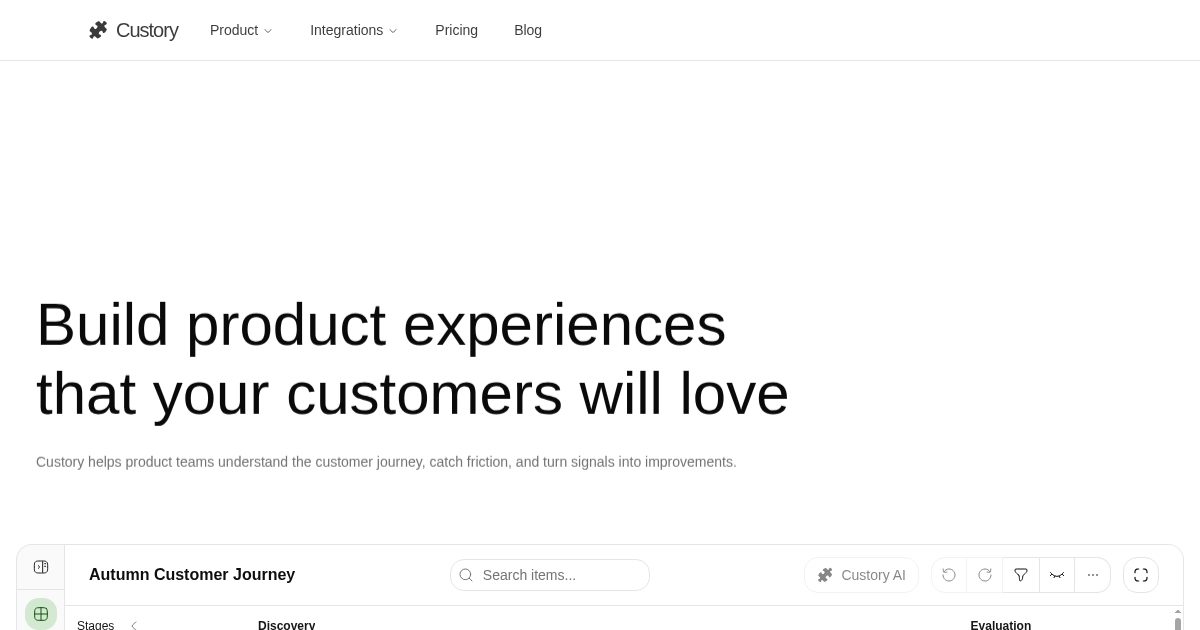
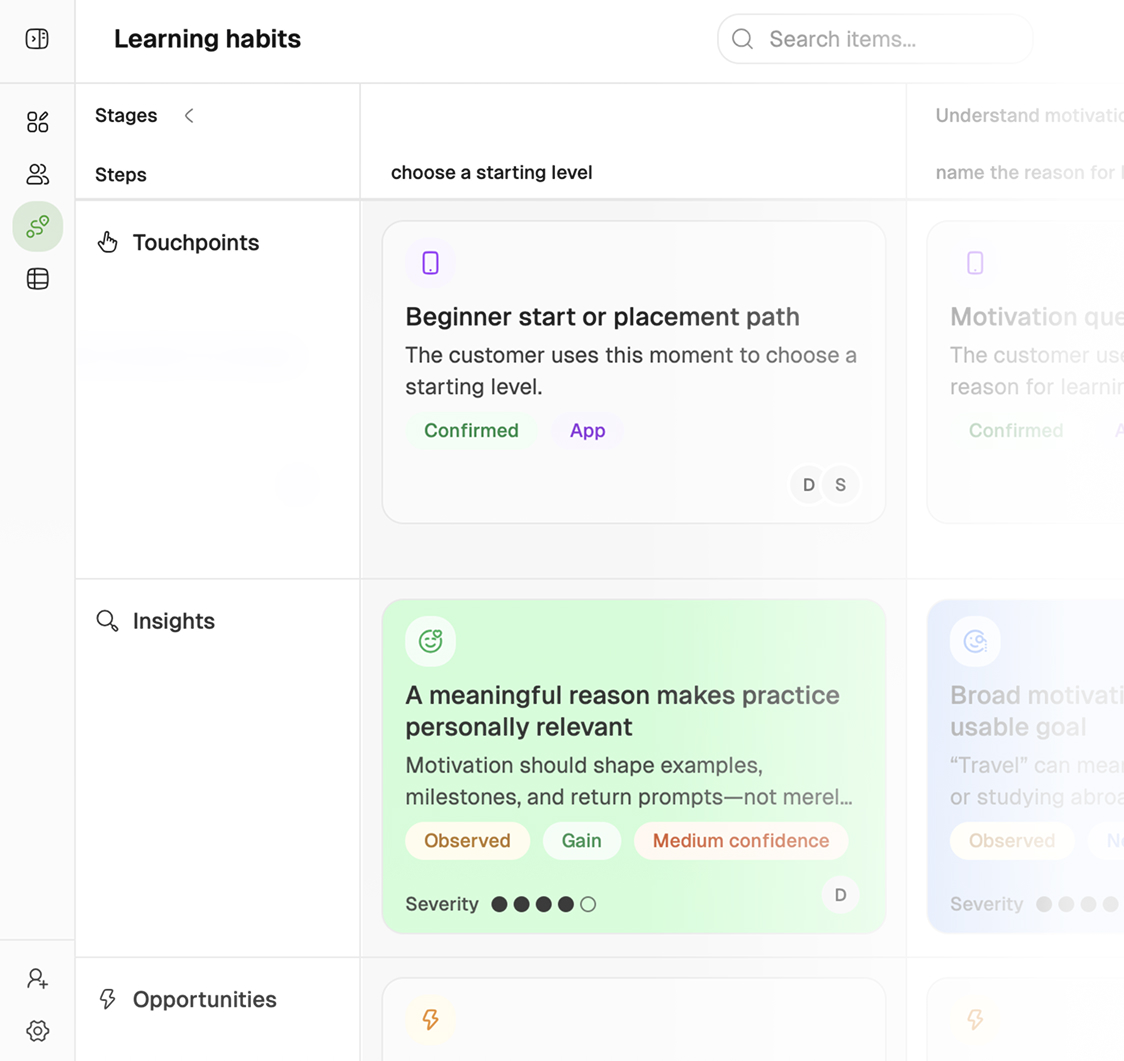
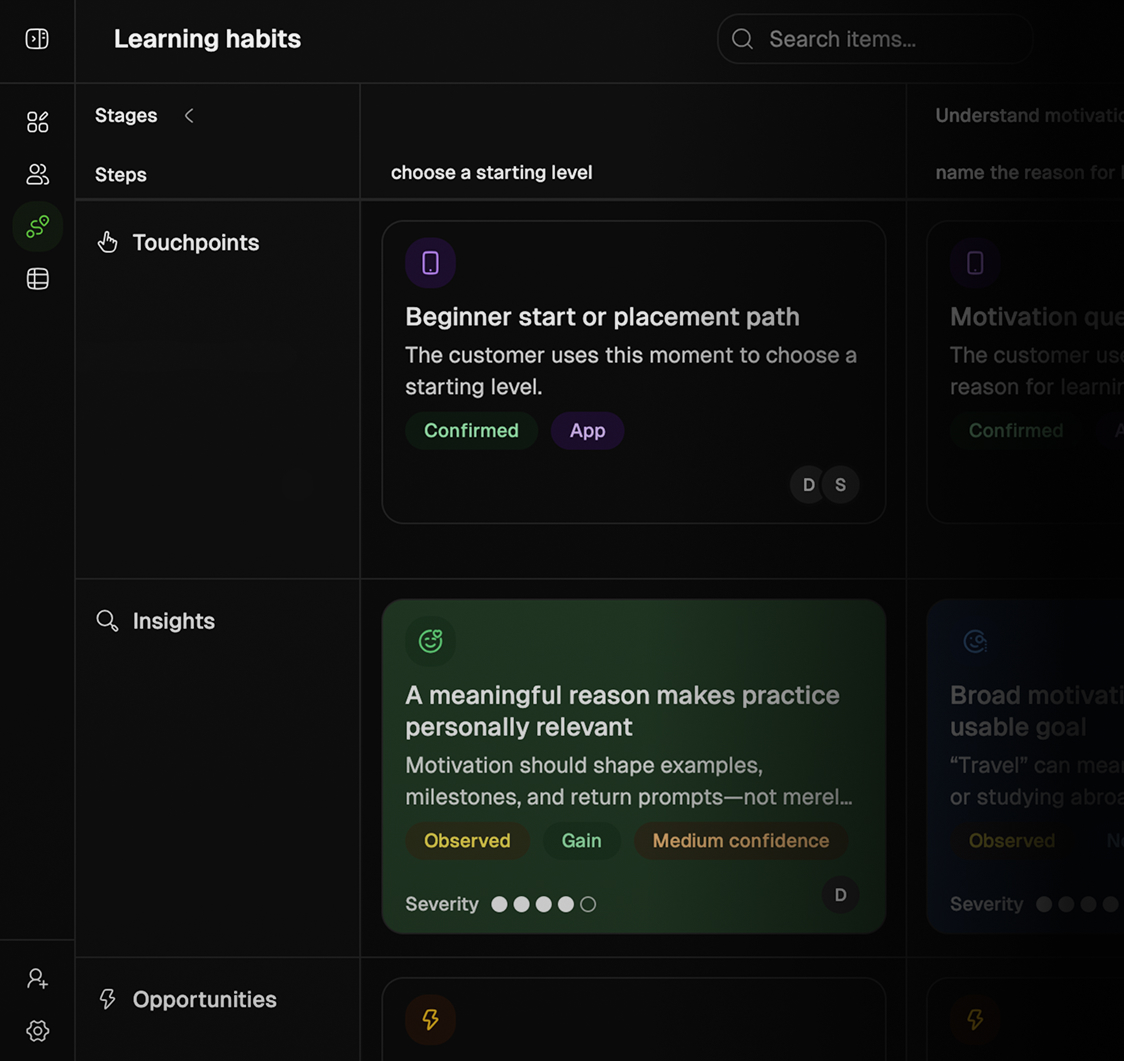
Custory shows a structured customer journey with stages, touchpoints, insights, opportunities, solutions, metrics, automations, and AI assistance.
Find the cause for churn. With Custory you can map the customer journeys and see where your users get stuck. Then prioritize the moments that improve the experience.
Paste your URL & get working journey in 60 seconds
Custory turns your website, docs, repo, or existing product material into a structured journey draft, so your team starts with real product context.
Every journey step holds the core product context
Structure the journey around stages, steps, friction, opportunities, solutions, and metrics, so the team can see what to improve next.
Ship your improvements faster without losing context
Go from insights to prioritized work and ship improvements that strengthen onboarding, retention, and the overall customer experience.
Manage every item from one shared repository
Keep insights, opportunities, solutions, metrics, touchpoints, and personas in one reusable repository. Update them once, manage them in bulk, and keep every journey consistent without duplicating work.
Example product mockup showing Custory switching between a journey map, structured table, and impact versus effort view so teams can connect customer signals to prioritized product work.
Connect your customer signals and tools to journeys
Custory brings PostHog funnels, Stripe events, team conversations, and delivery work onto the steps they explain. You can follow the problem from the first signal to the shipped fix.
Custory connects customer journey work with tools for analytics, communication, documentation, design, billing, and product delivery.
Linear & Jira
Linear and Jira help teams turn customer understanding into product action without losing the context behind it. Instead of turning a journey insight into yet another disconnected ticket, Custory keeps the linked issue tied to the exact step, evidence, and customer problem that made it worth prioritizing.
Related links: Linear (/integrations/linear), Jira (/integrations/jira)
When a repeated onboarding issue becomes a prioritized opportunity, the follow-up can move straight into Linear or Jira without forcing the team to rewrite the rationale from scratch.
That creates cleaner handoffs across product, design, engineering, and support. Teams can see not only what work exists, but which customer moment it belongs to, why it matters now, and whether the right fix has actually shipped back into the experience.
Use it for: Turning insights, opportunities, and solution ideas into trackable delivery work
Stays connected: Yes, the linked issue stays attached to the journey step and its supporting context
Why it matters: Roadmap conversations get sharper because the “why this” remains visible after handoff
Best for: Startup teams that need faster prioritization and cleaner execution loops without extra process
Slack & Discord
Slack and Discord let teams capture customer signal where conversation already happens, then move it into a structured system before it disappears into scrollback. Instead of leaving useful context trapped in threads, Custory helps teams turn discussion into visible customer understanding and follow-up action.
Related links: Slack (/integrations/slack), Discord (/integrations/discord)
Product feedback, support escalation, founder observations, and team decisions often surface first in chat. Custory lets that in-channel signal become something durable: a linked insight, an update to a journey step, or a notification back to the team that the system has been updated.
Slack and Discord are also a strong automation surface: Custory can send updates into channels, summarize what changed, and respond in-thread with the same journey context the in-app assistant uses. That gives the team a natural way to ask questions, trigger follow-up, or keep recurring updates visible without leaving the conversation.
Keep people updated on: New insights, journey changes, and automation activity in the channels people already watch
Slack can do more: Teams can chat with Custory naturally, trigger updates, and receive automation summaries in-channel
Discord works for: Community signal, internal coordination, and channel-based updates tied back to the journey
Why it matters: The useful part of the conversation becomes durable context instead of disappearing in chat history
Intercom
Intercom brings the customer voice into the journey system so recurring support pain becomes visible before it turns into roadmap guesswork or churn risk. Instead of leaving conversations buried in a support queue, teams can connect repeated questions, friction, and sentiment to the exact stage of the experience they reflect.
Related links: Intercom (/integrations/intercom)
This is especially useful for product-led and support-heavy teams that hear the problem long before they fix it. Custory helps support themes stop being anecdotal. Once connected, those conversations can inform structured insights, reveal where customers are blocked, and help product teams see which issues are already recurring enough to deserve action.
Useful for: Finding repeated questions, onboarding blockers, and support patterns worth fixing
Brings in: Conversation context, support themes, and customer signals that explain friction
Helps you: Turn support pressure into structured journey insight and clearer prioritization
Why it matters: Customer pain reaches product decisions faster, with less manual synthesis overhead
PostHog
PostHog brings product behavior into the journey at the moment it matters, so teams can see where onboarding, activation, or adoption is slipping without separating the metric from the customer experience behind it. Instead of reacting to dashboards in isolation, Custory helps teams discuss behavioral change in the context of the journey step it affects.
Related links: PostHog (/integrations/posthog)
That makes analytics more actionable for lean product teams. Funnels, event changes, and usage patterns stop being “interesting charts” and start becoming evidence attached to the right journey moment. When completion drops or a key action slows, the team can frame the problem, discuss likely causes, and turn it into follow-up work without leaving context behind.
PostHog is also one of the most useful signal sources for automations. Teams can schedule recurring pulls, monitor behavior over time, and update journey insights as the product changes so the system stays current instead of stale.
Bring in: Funnels, event trends, and product usage signals tied to real journey steps
Best for: Spotting onboarding drop-offs, adoption friction, and behavior shifts worth investigating
Use it with: Journey insights, weekly reviews, and automations that keep the map current
Why it matters: Behavioral data becomes decision-ready because it stays connected to the customer context around it
Stripe
Stripe connects revenue signals to the customer experience behind them, so failed payments, subscription changes, expansion, and churn risk can be understood in journey context instead of as isolated finance events. That helps teams see where revenue momentum is being created or lost across the lifecycle.
Related links: Stripe (/integrations/stripe)
For product-led SaaS teams, this closes an important gap. Revenue events often show up after the customer experience has already started to break. By connecting billing and subscription data back to the journey, teams can identify which steps are contributing to payment friction, downgrade pressure, or retention risk before those signals stay trapped in a billing dashboard.
Bring in: Subscription activity, failed payments, upgrades, and other revenue health signals
Helps answer: Which journey moments are contributing to expansion, retention risk, or lost revenue
Use it with: Journey insights, revenue reviews, and automations that alert the team when billing patterns shift
Why it matters: Revenue signals become more useful when they are tied to customer experience, not just finance reporting
Know where your users get stuckand what to improve first in just 7 days
Day 1
Day 3
Day 7
See what stops users from reaching value
Easily map the path from the customer’s starting point to their first meaningful outcome
Make the moments where customers hesitate, need help, or drop off properly visible
Give product, support, and leadership one shared view instead of competing assumptions
Focus on the friction that matters most
Bring data from your feedback, support, and product behaviour tools for personas and journeys
See where repeated signals point to the same activation, adoption, or retention problems
Turn the strongest evidence into clear opportunities your team can confidently prioritise
Ship improvements to customer experience
Choose the journey improvement most likely to help customers reach value sooner
Connect the evidence, proposed solution, owner, and success measure to the work
Keep monitoring the journey so new friction is caught before it becomes a larger problem
Day 1
See what stops users from reaching value
Easily map the path from the customer’s starting point to their first meaningful outcome
Make the moments where customers hesitate, need help, or drop off properly visible
Give product, support, and leadership one shared view instead of competing assumptions
Day 3
Focus on the friction that matters most
Bring data from your feedback, support, and product behaviour tools for personas and journeys
See where repeated signals point to the same activation, adoption, or retention problems
Turn the strongest evidence into clear opportunities your team can confidently prioritise
Day 7
Ship improvements to customer experience
Choose the journey improvement most likely to help customers reach value sooner
Connect the evidence, proposed solution, owner, and success measure to the work
Keep monitoring the journey so new friction is caught before it becomes a larger problem
Custory automations pull analytics, feedback, and delivery signals into the journey, so your team can catch new friction earlier and work from what customers are experiencing now, not from a stale document.
Example automation mockup showing Custory keeping customer journeys current by connecting analytics, feedback, delivery signals, and team notifications.
Ask why activation dropped, our AI answers
Use AI inside the system to identify friction, enrich insights, draft journey structure, and keep customer understanding useful without extra manual upkeep.
Example AI assistant mockup showing Custory helping product teams analyze journey context, identify friction, create items, and turn customer signals into follow-up work.
We're shipping fast, just like you
Custory is built for teams that move quickly. Here's what we improved recently.
Custory is built for lean product teams: startups, scale-ups, and product-led teams that need a clear system for understanding the journey and shipping improvements without heavyweight process.
How is Custory different from a whiteboard or doc?
A whiteboard captures a workshop. Custory runs the journey as a living system. Instead of leaving your team with a static diagram or scattered notes, each journey step holds structured context for touchpoints, insights, opportunities, solutions, and metrics, then stays connected to owners, integrations, automations, and shipped work.
How does the AI work?
AI helps in two ways: it builds your first journey draft so you start with context instead of a blank canvas, and automations turn AI into operational leverage. Automations keep the journey current without manual upkeep, they pull signals from analytics, create items on the right step, and kick off follow-up work automatically. That is where teams see the biggest impact: less manual babysitting, more captured signals, faster prioritization.
Can we use Custory with the tools we already have?
Yes. Custory is designed to sit on top of the stack most product teams already use, connecting tools like Linear, Jira, GitHub, Slack, Notion, PostHog, Stripe, and more so customer signals and delivery work stay tied to the same journey system.