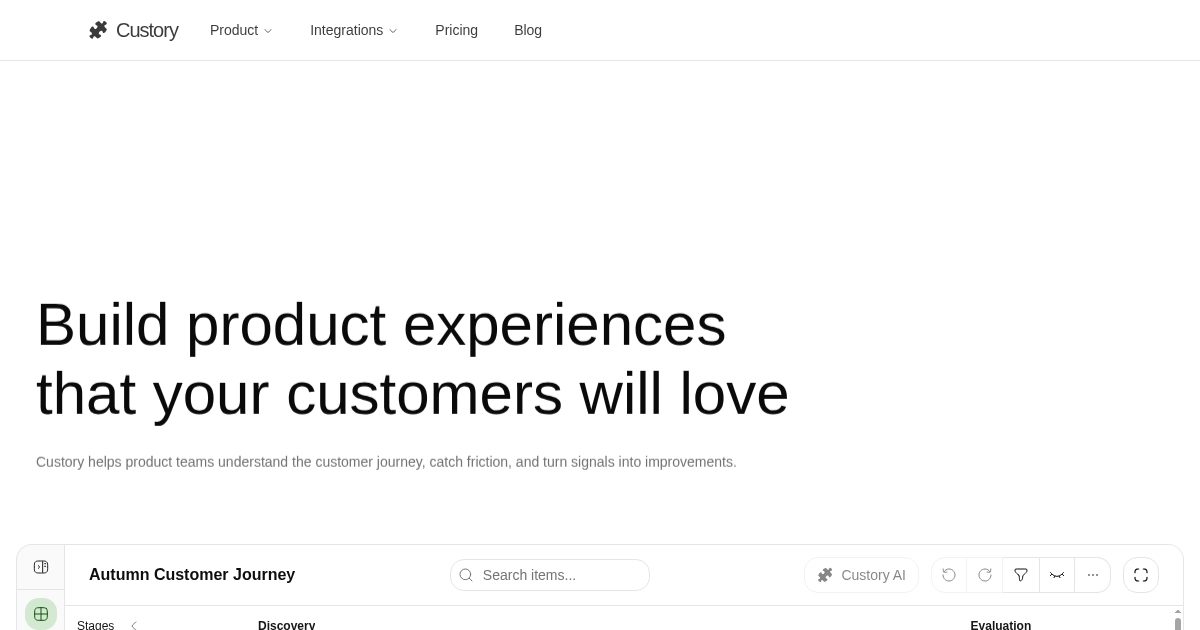
Find product friction and create new opportunitiesFind product friction and create new opportunities
Connect your product context and customer evidence to the moments users experience. Custory helps your team turn the journey friction into clear opportunities.
Custory helps product teams build a living customer journey, connect scattered customer signals, prioritize opportunities, and keep execution tied to the customer experience.
Build a journey your team actually uses every week
Custory helps your team build and maintain customer journeys without falling back to static whiteboards, so insights, opportunities, solutions, metrics, and decisions stay connected in a system people can use to prioritize and ship.
See the full path from signup to success
Create journeys with clear stages and ordered steps, so your team can see the full customer experience from first touch to long-term use.
Find exact moments where users drop off
Mark the journey moments where customers hesitate, drop off, need help, or fail to reach value, so your team can see where customers struggle.
From drop-off to Linear in two clicks
Move from customer context to prioritized work, while keeping owners, tickets, pull requests, and history tied to the moment that triggered them.
Manage every item from one shared repository
Keep insights, opportunities, solutions, metrics, touchpoints, and personas in one reusable repository. Update them once, manage them in bulk, and keep every journey consistent without duplicating work.
Custory gives teams multiple views of the same journey system, including a journey map, a structured table, and priority views for deciding what to improve next.
Living Journey
Custory gives lean teams a living system for the customer journey, not another artifact that decays after the workshop. As new evidence — metrics, support patterns, conversations, shipped fixes, comes in, the journey stays usable as the place where your team sees what customers are experiencing now and what needs to change next.
Instead of revisiting scattered decks, whiteboards, and half-remembered notes, your team can open the journey and immediately understand where onboarding is breaking, where conversion is slowing, or where retention risk is building. The system stays close enough to real work to guide weekly decisions, not just annual strategy exercises.
See: The customer journey as a current operating view, not a stale map
Keep attached: Friction points, evidence, decisions, and shipped outcomes, all on the right step
Use it for: Faster reviews, clearer prioritization, and less blind shipping across the team
Structured Context
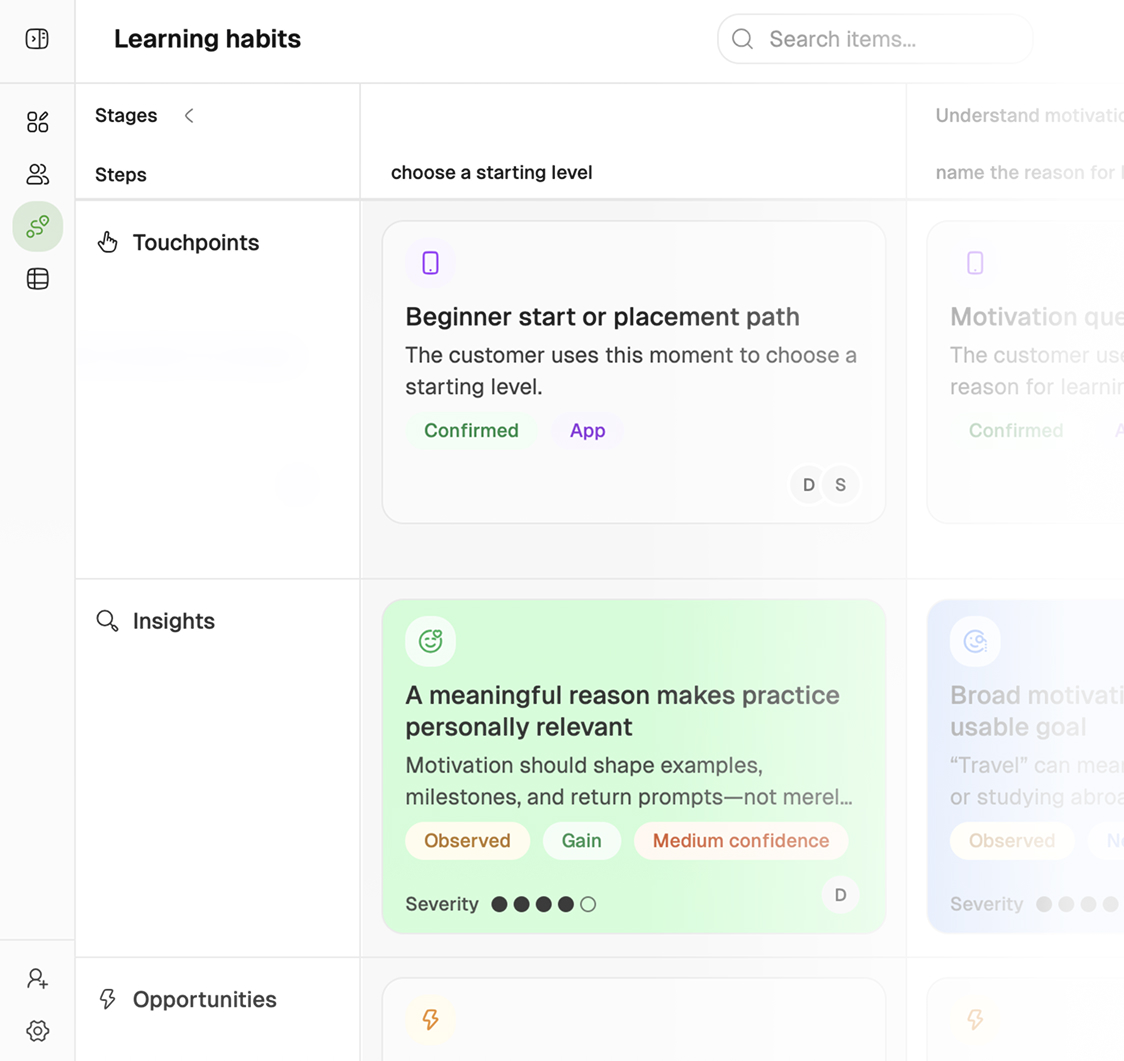
Each step in Custory holds the context behind the work: touchpoints, insights, opportunities, solutions, metrics, owners, and supporting evidence. The structure is opinionated enough to make decisions sharper, but lightweight enough that fast-moving teams will keep it current.
This matters because scattered signal is expensive. When support themes live in Intercom, product notes live in Notion, and roadmap arguments live in Slack, teams end up debating from fragments. Custory turns that raw input into a shape your team can reason about quickly: what happened, where it happened in the journey, who it affects, and what should happen next.
The result is better judgment without heavier process. Teams can move from “we keep hearing this” to a structured opportunity with evidence, an owner, a target metric, and a clear path into execution.
Capture: What happened, why it matters, who it affects, and what should change next
Connect to: Journey steps, evidence, owners, metrics, and delivery work in tools like Linear and Jira
Keeps clear: Priorities stay grounded in customer context instead of memory, opinion, or ticket volume alone
Shared Views
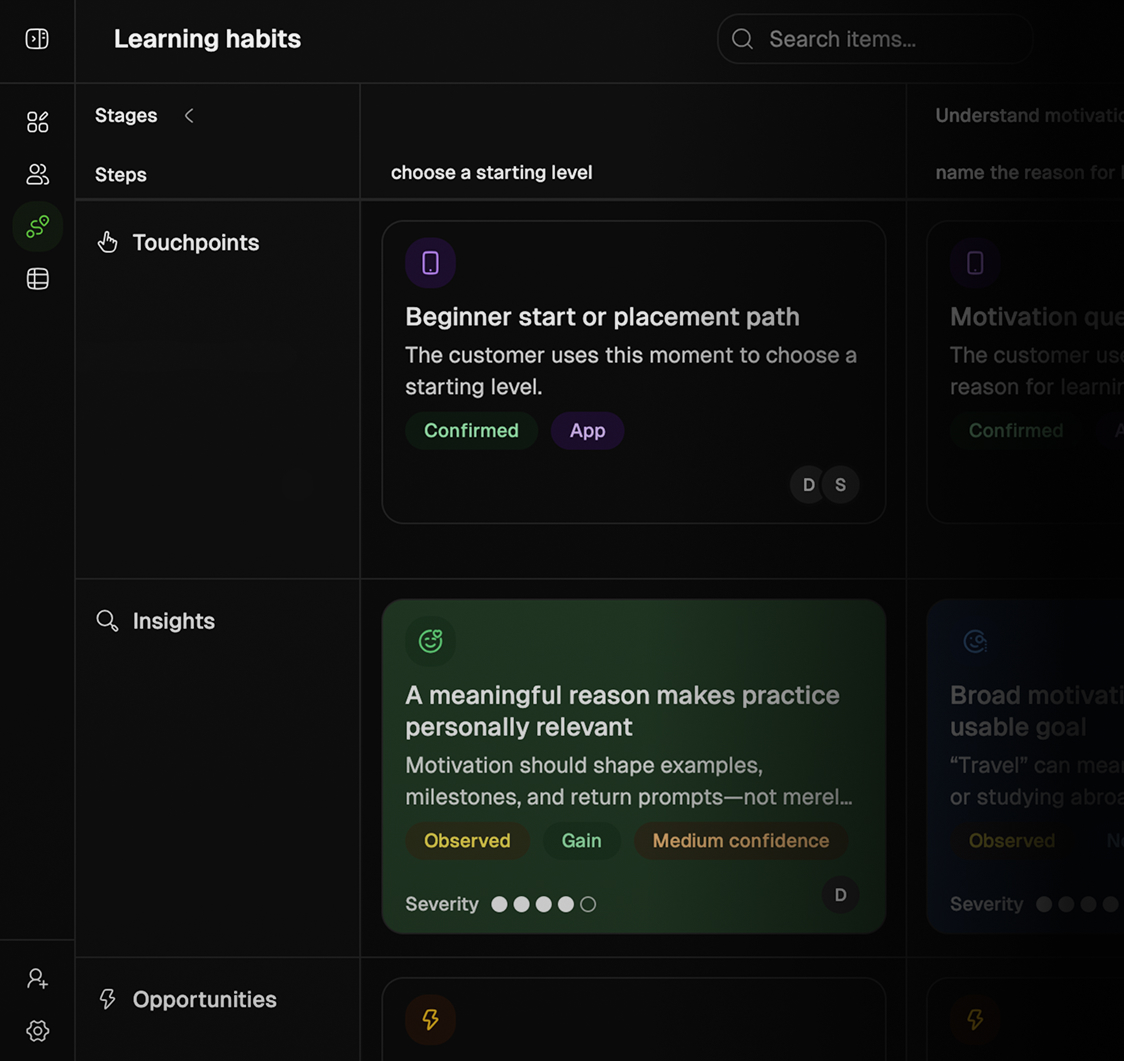
Switch between the journey map, a structured table, and priority views without recreating the work in different tools. Everyone stays inside the same underlying system, but each function can look at it in the way that helps them act fastest.
The map helps teams understand the customer experience in sequence. Table and list views help with maintenance, cleanup, and triage. Priority-oriented views help product leads decide what deserves attention now.
Design, support, product, and founders do not need separate exports or parallel docs to stay aligned. They are looking at the same journey from the angle they need.
Use it for: Journey reviews, cleanup, handoffs, sprint planning, and executive alignment
Switch between: Map, table, and priority-oriented views without duplicating context
Update quickly: Yes, changes stay in sync because every view runs on the same structured system
Prioritized Work
Custory helps teams move from customer signal to prioritized work in the same place. Instead of losing the “why this matters” the moment work becomes a ticket, you can frame opportunities, compare impact and effort, and keep prioritization tied to the customer moment behind it.
Repeated friction can become a clear opportunity. A proposed fix can be weighed against effort and potential impact. The decision can stay attached to the step, metric, and evidence that made it worth doing in the first place.
When the team is ready to act, Custory can turn that context into linked Linear, Jira, or GitHub work without breaking the chain back to the journey. You can also use the build prompt on a solution or opportunity to generate a grounded implementation brief for AI coding tools, so moving from decision to execution takes less translation work.
Helps answer: What should we do first, what can wait, and what outcome are we buying?
Move into execution: Create or link Linear, Jira, and GitHub work with the customer context still attached
Best for: Turning insights into owned opportunities, clearer solutions, build prompts, and execution-ready follow-up work
Connected Stack
Custory sits on top of the tools your team already uses and keeps customer context moving between them. Signals come in from analytics, support, and chat. Decisions connect to the right journey step. Follow-up work lands in delivery tools without breaking the chain back to the customer experience.
That connected loop is what keeps the journey alive - a layer that can read what is happening in PostHog, Intercom, Slack, Linear, or Jira and keep the journey current as the business changes.
The benefit is practical: less copy-pasting, less context loss, and a much faster path from signal to shipped improvement. Custory becomes the operating layer that makes your existing stack feel coherent from the customer point of view.
Plan and build: Linear, Jira, and GitHub for linked execution and delivery context
Capture context: Stay connected to: Slack, Discord, Notion, where teams discuss what customers need
Bring in signals: PostHog, Stripe, Intercom, and other tools that show behavior, support pressure, and revenue risk
Keep linked: The journey step, the evidence, the decision, the issue, and the shipped change
Ship fast without losing the customer context
Keep customer context close to the work. Custory connects evidence, priorities, discussions, and delivery updates around the journey, so fast-moving teams can make better product decisions without adding another heavy process.
Your AI journey expert
Custory AI can read the journey, personas, and customer signals behind the problem, so it helps you clarify friction, and decide what to improve next.
Work live with your team
Edit, discuss, and refine the journey together, so your product and dev teams can build shared understanding without another workshop or status meeting.
Be updated regularly
Get notified when journey changes, new friction appears, or follow-up work moves forward, so you can respond before customer issues become bigger problems.
Find the journey frictionworth fixing first in just 7 days
Day 1
Day 3
Day 7
See where customers struggle to reach value
Map the stages customers move through from initial need to meaningful value
Reveal where they hesitate, need help, or fail to progress
Replace fragmented assumptions with one shared view of the experience
Identify what is hurting customer experience
Attach customer evidence and product data to the moments they explain
Distinguish isolated complaints from recurring friction that affects more customers
Build an evidence-backed case for the opportunity that deserves attention first
Turn the understanding into product action
Prioritise the improvement with the clearest customer impact and strongest evidence
Connect the solution, owner, delivery work, and measure of success
Keep the journey current so the team can see whether shipped changes improve the experience
Day 1
See where customers struggle to reach value
Map the stages customers move through from initial need to meaningful value
Reveal where they hesitate, need help, or fail to progress
Replace fragmented assumptions with one shared view of the experience
Day 3
Identify what is hurting customer experience
Attach customer evidence and product data to the moments they explain
Distinguish isolated complaints from recurring friction that affects more customers
Build an evidence-backed case for the opportunity that deserves attention first
Day 7
Turn the understanding into product action
Prioritise the improvement with the clearest customer impact and strongest evidence
Connect the solution, owner, delivery work, and measure of success
Keep the journey current so the team can see whether shipped changes improve the experience
Connect your customer signals and tools to journeys
Custory brings PostHog funnels, Stripe events, team conversations, and delivery work onto the steps they explain. You can follow the problem from the first signal to the shipped fix.
Custory connects customer journey work with tools for analytics, communication, documentation, design, billing, and product delivery.
Linear & Jira
Linear and Jira help teams turn customer understanding into product action without losing the context behind it. Instead of turning a journey insight into yet another disconnected ticket, Custory keeps the linked issue tied to the exact step, evidence, and customer problem that made it worth prioritizing.
Related links: Linear (/integrations/linear), Jira (/integrations/jira)
When a repeated onboarding issue becomes a prioritized opportunity, the follow-up can move straight into Linear or Jira without forcing the team to rewrite the rationale from scratch.
That creates cleaner handoffs across product, design, engineering, and support. Teams can see not only what work exists, but which customer moment it belongs to, why it matters now, and whether the right fix has actually shipped back into the experience.
Use it for: Turning insights, opportunities, and solution ideas into trackable delivery work
Stays connected: Yes, the linked issue stays attached to the journey step and its supporting context
Why it matters: Roadmap conversations get sharper because the “why this” remains visible after handoff
Best for: Startup teams that need faster prioritization and cleaner execution loops without extra process
Slack & Discord
Slack and Discord let teams capture customer signal where conversation already happens, then move it into a structured system before it disappears into scrollback. Instead of leaving useful context trapped in threads, Custory helps teams turn discussion into visible customer understanding and follow-up action.
Related links: Slack (/integrations/slack), Discord (/integrations/discord)
Product feedback, support escalation, founder observations, and team decisions often surface first in chat. Custory lets that in-channel signal become something durable: a linked insight, an update to a journey step, or a notification back to the team that the system has been updated.
Slack and Discord are also a strong automation surface: Custory can send updates into channels, summarize what changed, and respond in-thread with the same journey context the in-app assistant uses. That gives the team a natural way to ask questions, trigger follow-up, or keep recurring updates visible without leaving the conversation.
Keep people updated on: New insights, journey changes, and automation activity in the channels people already watch
Slack can do more: Teams can chat with Custory naturally, trigger updates, and receive automation summaries in-channel
Discord works for: Community signal, internal coordination, and channel-based updates tied back to the journey
Why it matters: The useful part of the conversation becomes durable context instead of disappearing in chat history
Intercom
Intercom brings the customer voice into the journey system so recurring support pain becomes visible before it turns into roadmap guesswork or churn risk. Instead of leaving conversations buried in a support queue, teams can connect repeated questions, friction, and sentiment to the exact stage of the experience they reflect.
Related links: Intercom (/integrations/intercom)
This is especially useful for product-led and support-heavy teams that hear the problem long before they fix it. Custory helps support themes stop being anecdotal. Once connected, those conversations can inform structured insights, reveal where customers are blocked, and help product teams see which issues are already recurring enough to deserve action.
Useful for: Finding repeated questions, onboarding blockers, and support patterns worth fixing
Brings in: Conversation context, support themes, and customer signals that explain friction
Helps you: Turn support pressure into structured journey insight and clearer prioritization
Why it matters: Customer pain reaches product decisions faster, with less manual synthesis overhead
PostHog
PostHog brings product behavior into the journey at the moment it matters, so teams can see where onboarding, activation, or adoption is slipping without separating the metric from the customer experience behind it. Instead of reacting to dashboards in isolation, Custory helps teams discuss behavioral change in the context of the journey step it affects.
Related links: PostHog (/integrations/posthog)
That makes analytics more actionable for lean product teams. Funnels, event changes, and usage patterns stop being “interesting charts” and start becoming evidence attached to the right journey moment. When completion drops or a key action slows, the team can frame the problem, discuss likely causes, and turn it into follow-up work without leaving context behind.
PostHog is also one of the most useful signal sources for automations. Teams can schedule recurring pulls, monitor behavior over time, and update journey insights as the product changes so the system stays current instead of stale.
Bring in: Funnels, event trends, and product usage signals tied to real journey steps
Best for: Spotting onboarding drop-offs, adoption friction, and behavior shifts worth investigating
Use it with: Journey insights, weekly reviews, and automations that keep the map current
Why it matters: Behavioral data becomes decision-ready because it stays connected to the customer context around it
Stripe
Stripe connects revenue signals to the customer experience behind them, so failed payments, subscription changes, expansion, and churn risk can be understood in journey context instead of as isolated finance events. That helps teams see where revenue momentum is being created or lost across the lifecycle.
Related links: Stripe (/integrations/stripe)
For product-led SaaS teams, this closes an important gap. Revenue events often show up after the customer experience has already started to break. By connecting billing and subscription data back to the journey, teams can identify which steps are contributing to payment friction, downgrade pressure, or retention risk before those signals stay trapped in a billing dashboard.
Bring in: Subscription activity, failed payments, upgrades, and other revenue health signals
Helps answer: Which journey moments are contributing to expansion, retention risk, or lost revenue
Use it with: Journey insights, revenue reviews, and automations that alert the team when billing patterns shift
Why it matters: Revenue signals become more useful when they are tied to customer experience, not just finance reporting
The journey stays useful as product changes
Fast teams cannot afford journey docs that decay. Custory keeps customer context connected to the work your team is already doing, so the journey stays current without becoming another process to maintain.
AI builds your first journey draft
Start from structure instead of a blank page. Paste a URL, connect a repo, or describe your product, and Custory drafts stages and steps grounded in your real context.
Automations keep the journey alive
Automatically pull in new signals from across your analytics, feedback, and product tools, so the journey stays aligned with what customers are experiencing now.
Connected to your workflow
Connect the tools around your product so customer signals, team activity, and delivery work stay tied to the journey, keeping the team aligned around the customer.
From journey friction to shipped improvements
Custory keeps the full context visible from the first sign of friction to the improvement your team ships, so every decision stays grounded in what customers actually experienced.
Custory connects customer signals, journey context, prioritization, team updates, and shipped improvements into one operating loop.
Automations
Custory automations help teams keep the journey current without constant manual upkeep. They watch for changes on a schedule or from connected systems, then update journey context, create follow-up work, or send the right update to the team so customer understanding keeps moving with the product.
The core loop is simple: a signal comes in, Custory interprets it in journey context, and the system either updates the map, creates the next action, or notifies the right people. That makes automations useful for the work product teams already do every week: keeping metrics fresh, spotting new friction, and turning changes into visible follow-up.
Because the automation system is built around Custory objects, the output stays useful inside the product rather than becoming another disconnected alert stream. The result is less maintenance work and a journey system that stays much closer to reality.
Starts from: A schedule, a product signal, a GitHub event, or a change inside Custory
Can do: Update journey context, create follow-up work, refresh priorities, or send team updates
Why teams use it: To keep customer understanding current without adding more manual process
Set Up with AI
Describe the outcome you want in plain language and Custory drafts the automation around it. A product lead can say “pull weekly PostHog funnel data, update the onboarding journey, and flag new drop-off risk” and start from a strong first draft inside the editor, then fine-tune the workflow visually before turning it on.
This is how Custory treats AI: as a faster way to get from intent to a usable workflow. The draft maps your goal into concrete triggers, actions, connected integrations, and journey updates, then hands everything back to the editor so the team can inspect, adjust, and approve the final version with confidence.
That is especially valuable for lean teams that want the leverage of automation without becoming automation specialists. AI removes the blank page, while the editor keeps the workflow readable, flexible, and fully under the team’s control.
Input: A plain-language goal such as pulling analytics, posting updates, or creating new journey insights
Output: A drafted automation with trigger logic, actions, and the right journey scope already mapped
Why it matters: Teams get to a high-quality workflow faster, then refine it in the editor instead of starting from zero
Templates
Templates give teams a fast, opinionated starting point for recurring Custory workflows. Instead of starting from scratch, you can begin with patterns designed to keep journeys current, surface high-signal customer changes, and route the right follow-up into the rest of your stack.
The strongest templates are not just generic automations. They are pre-shaped around the way Custory works: structured journey context in the middle, connected signals on one side, and execution or team updates on the other. That makes them especially useful for teams who want fast setup without losing the logic of why the workflow exists.
Examples: Weekly journey pulse, PostHog event drift updates, active team member recaps, and priority handoff flows
Editable: Yes, teams can change triggers, actions, AI-drafted text, integrations, and scope
Why it matters: The team gets to a useful Custory workflow quickly without rebuilding the same operating logic every time
Triggers
Automations in Custory can run on a schedule or react to events, which means the journey can stay current without manual policing. You can review metrics every Monday morning, react when an item crosses a priority threshold, or listen for GitHub pull requests opening or merging.
This is where the product moves from static system to current system. Time-based triggers handle recurring monitoring and reporting. Event-based triggers react when something actually changes, so updates land when they are relevant instead of after someone remembers to follow up.
That helps teams catch friction, quality issues, and priority shifts earlier. Instead of waiting for a weekly meeting to notice that onboarding dropped, a PR merged, or an item’s impact changed, the system can move first and bring the right context with it.
Schedule: Hourly, daily, or weekly runs for recurring reporting, monitoring, and updates
Event: Custory item events and GitHub events such as item updates, threshold changes, PR opened, and PR merged
Why it matters: The journey stays current because important changes can trigger action automatically, not only on review day
Integrations
Connected integrations turn automations into real operating workflows instead of internal reminders. An automation can read product signal from PostHog, create or update a journey insight in Custory, notify the team in Slack, and open follow-up work in GitHub or another connected system as one continuous flow.
Signals can come in from the tools your team already uses, and the output can land exactly where the next decision or action should happen. Custory keeps the journey in the middle, so the workflow feels connected instead of improvised.
Instead of pushing generic notifications around the stack, teams can create workflows that refresh journey context, send focused updates, and open follow-up work while keeping the original customer problem visible.
Analytics: PostHog and Stripe as connected signal sources for behavior and revenue context
Execution: GitHub and connected work systems for follow-up actions and product delivery loops
Communication: Slack and Discord for alerts, summaries, and keeping the team aligned in-channel
Why it matters: Workflows can read from one system, update Custory, and push the next action outward without losing context
Frequently asked questions
How is Custory different from Miro or Figma for journey mapping?
Miro and Figma are great for workshop outputs, but the map usually goes stale the moment the meeting ends. Custory is a structured editor, not a canvas — each step holds typed evidence, linked personas, metrics, opportunities, and delivery work so the journey stays connected to what your team is actually doing.
Can multiple team members edit the journey at the same time?
Yes. Custory is built for collaborative product teams. Multiple people can view, edit, and comment on the same journey simultaneously. Evidence, feedback, and next actions all stay attached to the right step so context does not get lost across handoffs.
How structured does a journey need to be to get started?
As structured as you need it to be. You can start with a rough set of stages and a few steps, then layer in insights, personas, and opportunities over time. Custory AI can also generate a first draft from your website, docs, or a short description so you are not starting from a blank page.
Can we map journeys for different customer personas in the same editor?
Yes. Personas are first-class objects in Custory. You can create as many as you need, connect them to specific journey steps, and filter the view by persona to see the journey from each customer segment's perspective. Insights and opportunities stay linked to the personas they came from.